How to Check IPTV Sports Broadcasting Claims Before Buying
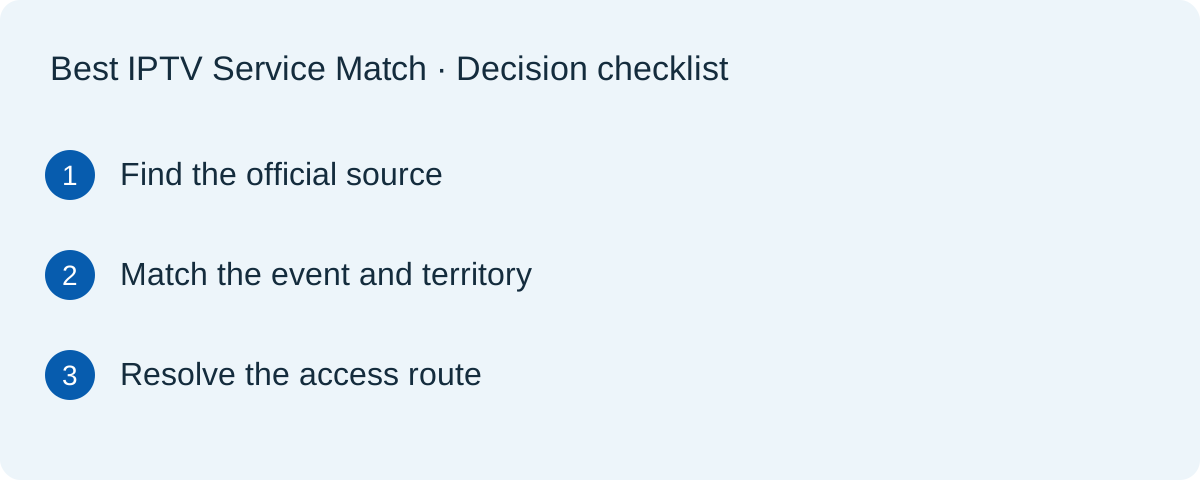
To check an IPTV provider's sports-availability claim, start with the named competition's official broadcaster information, then verify the exact event, region and package. A channel logo or a working stream does not, by itself, establish that a seller is authorised to distribute that content.
Disclosure and scope: this is a commercial marketing site with links to services we promote. We have not independently established the content licences of those services. This article provides a source-checking method, not a legal opinion, provider certification or allegation of infringement.
Separate three questions before comparing a package
First, which organisation is listed as a broadcaster for the competition in your territory? Second, which outlet carries the particular match or programme? Third, what subscription or account gives you access through an authorised route? An answer to one of these questions does not automatically answer the other two.
A package description saying “sports included” is too broad to resolve an event-specific purchase. Ask about the competition, date, location and intended device. Keep the answer alongside its source. Our sports comparison page covers the device and trial side of this decision.
Start from a competition's own information
The Premier League's broadcaster directory identifies rights holders by territory for stated seasons. Use it as a starting point, not as confirmation that any unrelated subscription website can resell access. Follow through to the broadcaster's current event and package information.
The NFL provides an official ways-to-watch tool for checking viewing options. Use current official information rather than a copied schedule with no date. An old search result can describe a different season, territory or distribution arrangement.
Build a small evidence record
| Question | Record |
|---|---|
| What do I want to watch? | Competition, event and date |
| Where will I watch? | Country and any relevant local restrictions |
| What does the official source say? | URL, named broadcaster and date checked |
| What is the proposed access route? | Named package, app and account requirement |
| What remains unverified? | Questions needing an authoritative answer |
This is not a legal scoring system. A completed table is useful only if its sources answer the question being asked. A seller's own FAQ can document its claim, but does not become independent proof simply because you saved a screenshot of it.
Ask a precise question about the relationship
I want to watch [event] in [country] on [device]. Please identify the package and explain the authorised access route. Is there an official broadcaster or distributor page where I can verify your role? Please distinguish live coverage from highlights or replay and state any limits you know about.
Do not demand private contracts or collect sensitive documents unnecessarily. Look for a public, attributable explanation or confirmation through a contact listed by the relevant rights holder. If a seller is not named in a public directory, that alone does not prove wrongdoing; distribution arrangements can be more complex than a short list. It does mean you should avoid claiming verification that you do not have.
Signals that do not settle licensing
- A polished website: design quality does not establish a content-distribution agreement.
- HTTPS or a payment receipt: these do not document broadcasting rights.
- A large channel list: a list describes an offer, not the legal basis for supplying it.
- A successful trial: playback demonstrates access at that moment, not authorisation or future availability.
- A business registration: company identity and permission to distribute a particular programme are different questions.
The U.S. Copyright Office's explanation of streaming and public-performance rights provides background on why content rights matter. It does not assess any provider linked from this website. Country-specific legal questions require appropriate professional advice rather than assumptions based on this checklist.
Use a clear unresolved-answer rule
If a match is the main reason for buying and its authorised access route remains unclear, choose a confirmed official option for that event instead of gambling on an unsupported promise. You can still compare general device usability or support separately, but do not present those strengths as a substitute for evidence about the event.
In our comparison worksheet, record unresolved claims explicitly. The TereaTV profile is a commercial introduction, not a licensing certificate. If considering TereaTV's current plans, apply the same questions before ordering. No linked service receives an exemption from this verification process.
When should you check again?
Recheck near the event and before renewing a longer plan. Schedules, packages and territory arrangements can change. Keep the old record for context, then add a new dated entry rather than treating last season's answer as permanent. This method is designed to make the uncertainty visible before a purchase, not to promise that every question can be resolved from public pages.